




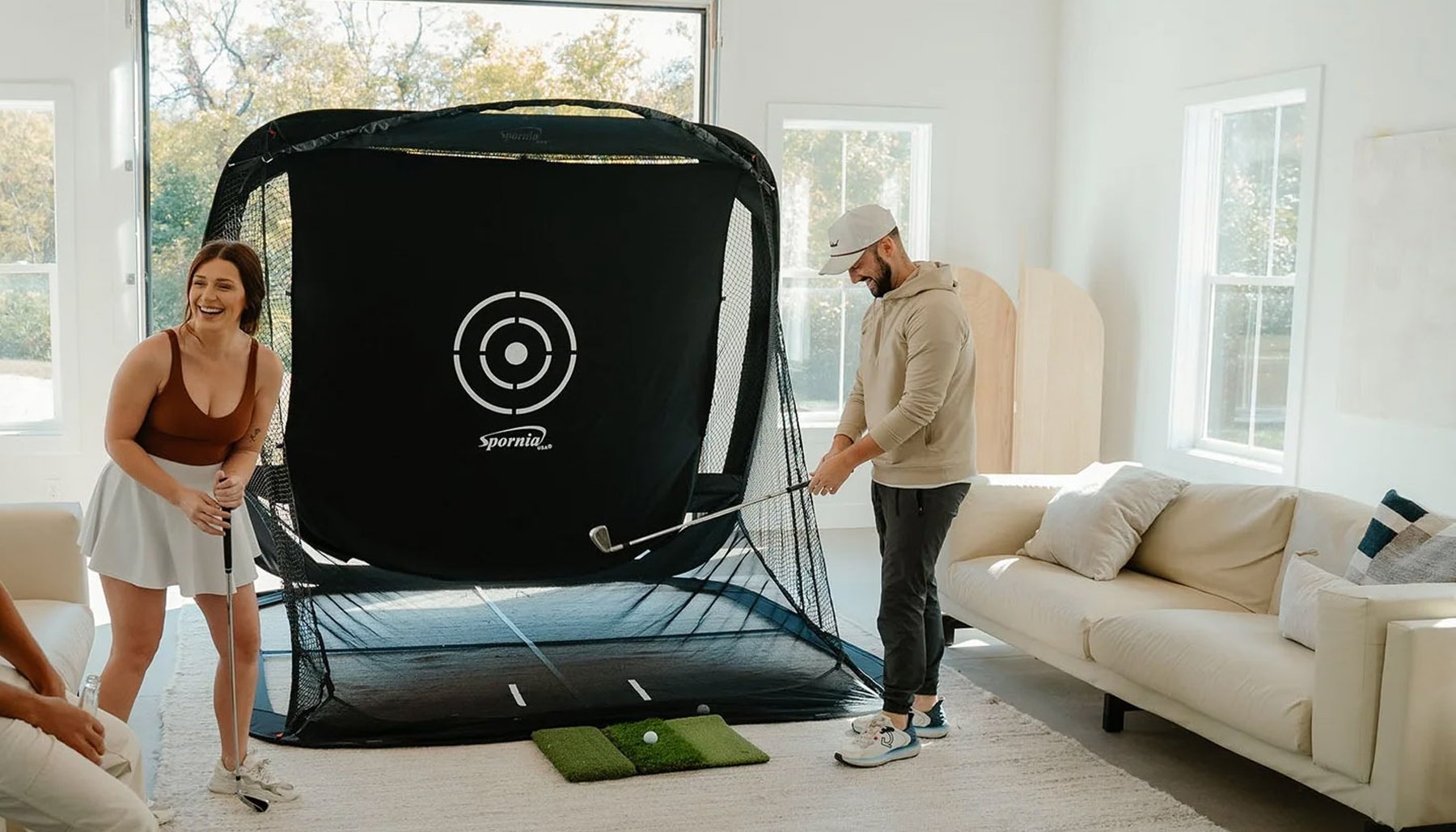
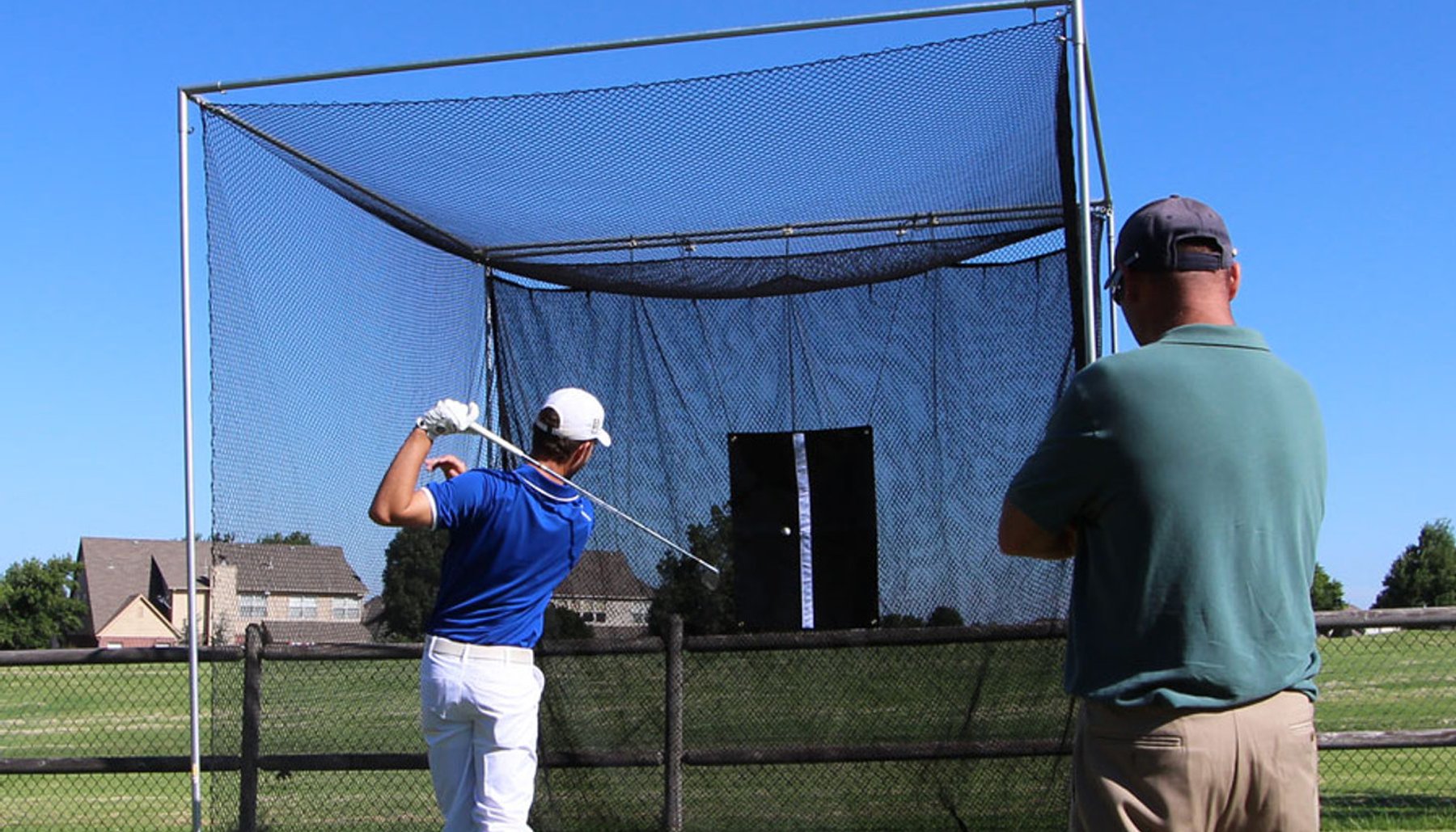


A home golf simulator can give you something that's difficult to get at a driving range or golf course: the ability to practice golf on your own schedule without leaving home.
But simply hitting golf balls into an impact screen doesn't automatically make practice productive.
A good home simulator practice setup combines the right golf simulator enclosure, hitting surface, launch monitor and practice routine.
The goal is to create a space where you can work on your golf swing, practice different clubs, track shot results and play simulated golf in a safe, repeatable environment.
Build the simulator correctly first. Then use it with a purpose.
Why Practice Golf at Home?
One of the biggest advantages of a home golf simulator is convenience.
Instead of driving to a golf course or practice range, you can practice whenever your schedule allows.
A home simulator can make it easier to:
- Practice more frequently
- Hit balls during bad weather
- Practice during winter
- Work on specific clubs
- Track shot data
- Practice distance control
- Play simulated golf courses
- Warm up before playing outdoors
- Practice for shorter periods when time is limited
Even a 20- or 30-minute practice session can be useful when the simulator is only a few steps away.
Start With a Safe Simulator Space
Before developing a practice routine, make sure the simulator area provides enough room for your golf swing.
Check:
- Ceiling height
- Room width
- Total room depth
- Hitting position
- Side-wall clearance
- Overhead clearance
- Golf-ball containment
- Launch-monitor position
- Projector position
Carefully test your normal swing with the longest club you expect to use.
If you plan to hit driver, test your driver swing.
The simulator should fit the golfer — not just the room.
Choose the Right Golf Simulator Enclosure
The enclosure creates the main hitting and projection area for your home simulator.
It should be selected based on:
- Available room size
- Desired screen size
- Enclosure depth
- Hitting position
- Golfer's swing
- Ball-containment requirements
- Projector
- Launch monitor
America's Golf Mats offers four golf simulator enclosure families for different room sizes and applications.
America's Compact™
America's Compact™ is designed for rooms where conserving depth is important.
Its compact 2-foot depth can work well in smaller home simulator rooms, garages and basements.
America's Choice™
America's Choice™ provides a 5-foot enclosure depth for home, garage and dedicated simulator rooms.
America's SafetyMax™
America's SafetyMax™ provides a 6-foot enclosure depth and additional golf-ball containment and protection features.
It can be especially useful when the simulator will be used by golfers with different skill levels or in rooms where additional containment is important.
America's Wall-to-Wall Studio Series™
America's Wall-to-Wall Studio Series™ is designed for larger simulator rooms and commercial-style installations.
Its wider enclosure sizes can create a larger simulator environment for golfers with sufficient room.
Use a Golf Mat Designed for Simulator Practice
The golf mat is the surface you use on every swing.
That makes it an important part of a home practice setup.
This is particularly important when the simulator is installed over concrete or another hard floor.
Consider:
- Turf construction
- Shock absorption
- Mat size
- Stability
- Tee capability
- Practice frequency
America's Golf Mats ProStrike Zero Shock™ combines a 1-inch turf surface with a 5/8-inch base pad for a total thickness of 1⅝ inches.
For golfers who want a larger continuous turf area, ProStrike FLEX™ is available in larger sizes and rolls.
Use Your Launch Monitor as a Practice Tool
A launch monitor can provide information about what happened during a shot.
The exact measurements available depend on the launch monitor.
Depending on the system, data may include:
- Ball speed
- Club speed
- Launch angle
- Spin
- Carry distance
- Total distance
- Shot direction
- Club path
- Face angle
- Other ball or club measurements
Not every launch monitor measures every data point.
Use the information your particular system provides rather than assuming every simulator reports the same measurements.
Don't Chase Every Number
Launch monitors can provide a large amount of data.
That doesn't mean you need to concentrate on every number during every practice session.
Choose the information that relates to what you're practicing.
For example, if you're working on distance control with wedges, carry distance may be more useful than watching every available measurement.
If you're working with an instructor, use the measurements the instructor considers important for your swing.
The data should help your practice — not distract from it.
Practice With a Purpose
It's easy to stand on a simulator mat and hit ball after ball without a plan.
A more structured practice session can help you focus on specific parts of your game.
Before you begin, decide what you want to work on.
For example:
- Driver
- Fairway woods
- Long irons
- Mid-irons
- Short irons
- Wedges
- Distance control
- Shot direction
- Consistency
- Pre-shot routine
You don't need to work on everything in one session.
Warm Up Before Full Swings
Just because the simulator is convenient doesn't mean your first swing should be a full-speed driver.
Start gradually.
A simple warm-up could include:
- Stretching or normal golf warm-up movements
- Short wedge shots
- Half swings
- Three-quarter swings
- Mid-iron swings
- Full swings
Then move into the main part of your practice session.
Practice Your Wedges
A home golf simulator can be particularly useful for working on wedge distances.
Instead of simply hitting full wedge shots, practice different carry distances.
For example, you might practice shots to several different targets.
The exact distances should match your own game.
The goal is to learn how different swings produce different carry distances with each wedge.
Track your results over time and look for consistency.
Practice Your Irons
Iron practice doesn't have to mean hitting the same club 50 times.
You can alternate clubs and targets.
For example:
- Hit several shots with one club to establish a pattern
- Change clubs
- Change target distance
- Return to the first club later
- Compare the results
This can make simulator practice feel more like the decisions you make on the golf course.
Practice Your Driver
Driver practice can focus on more than maximum distance.
Depending on the information available from your launch monitor, you can work on:
- Carry distance
- Ball speed
- Launch
- Spin
- Shot direction
- Consistency
Pay attention to patterns rather than one unusually good or bad shot.
A group of shots usually tells you more about your normal performance than a single swing.
Practice Distance Control
Knowing how far you actually carry each club can be valuable on the golf course.
A simulator and launch monitor can help you build a better understanding of your carry distances.
Consider recording average carry distances for:
- Wedges
- Short irons
- Mid-irons
- Long irons
- Hybrids
- Fairway woods
- Driver
Don't base your club distances on your single longest shot.
Look for a realistic pattern across multiple solid shots.
Practice Different Targets
Instead of repeatedly aiming at the center of the screen, change targets during your session.
This can help make practice more intentional.
Try:
- Different target distances
- Different target directions
- Different clubs
- Different simulated holes
- Different shot situations
Changing the target requires you to reset before each shot instead of simply repeating the same motion.
Practice Your Pre-Shot Routine
A simulator is also a good place to work on the routine you use before hitting a golf shot.
Instead of immediately hitting the next ball:
- Choose the target
- Choose the club
- Visualize the shot
- Set up normally
- Make the swing
- Review the result
Repeating your normal pre-shot routine can make simulator practice more similar to playing golf outdoors.
Use Simulated Golf as Practice
Playing a simulated round can be more than entertainment.
It requires you to change:
- Clubs
- Targets
- Distances
- Shot shapes
- Strategy
Instead of hitting 30 consecutive 7-irons, simulated golf may ask you to hit driver, iron and wedge on consecutive shots.
That variety can make practice different from a traditional range session.
Separate Practice From Playing
Both structured practice and simulated rounds can be useful, but they serve different purposes.
Practice Mode
Use dedicated practice time when you want to work on:
- One club
- One distance
- A specific swing change
- Wedge distances
- Shot patterns
- Launch-monitor data
Playing Mode
Use simulated golf when you want to:
- Change clubs frequently
- Make target decisions
- Practice your routine
- Experience different distances
- Add variety
You can use both during the same week.
Keep Practice Sessions Focused
More golf balls don't automatically mean better practice.
A focused shorter session can sometimes be more useful than hitting balls for hours without a plan.
Consider setting a goal before each session.
For example:
Today's goal: establish three wedge carry distances.
Or:
Today's goal: hit 20 drivers and evaluate the overall shot pattern.
Or:
Today's goal: play nine simulated holes using my normal pre-shot routine.
A clear goal gives the session a purpose.
Keep a Practice Record
You don't need a complicated system.
A simple notebook, spreadsheet or simulator history can help you track:
- Date
- Club
- Carry distance
- Shot pattern
- Practice goal
- What improved
- What needs more work
Over time, this can help you identify patterns in your practice.
Use Clean Golf Balls
Clean golf balls are important in an indoor simulator.
Dirt, sand, grass and damaged ball surfaces can mark or wear the impact screen.
Before hitting indoors, inspect golf balls for:
- Dirt
- Sand
- Grass
- Cuts
- Scuffs
- Sharp damage
Use clean golf balls whenever possible.
The same applies to clubfaces.
Clean equipment can help protect the appearance of the impact screen.
Check the Simulator Area Regularly
A home simulator receives repeated golf-ball impacts and golf swings.
Periodically inspect:
- Impact screen
- Enclosure
- Frame
- Protective material
- Golf mat
- Ball-containment areas
- Projector mount
- Launch-monitor position
Follow the manufacturers' inspection and maintenance recommendations for the equipment in your simulator.
Make Sure Guests Understand the Simulator
If friends, family members or children use the simulator, don't assume they understand where to stand or how the equipment works.
Before they hit:
- Explain the hitting position
- Keep other people clear of the golfer
- Make sure the swing area is clear
- Explain where golf balls should be hit
- Keep unnecessary objects away from the hitting area
Ball containment becomes especially important when golfers of different skill levels use the simulator.
A Simple Home Golf Simulator Practice Session
A practice session doesn't have to be complicated.
One example might look like this:
Warm-Up
Begin with short shots and gradually work toward full swings.
Wedge Practice
Choose several target distances and work on carry-distance control.
Iron Practice
Hit several different irons to different targets.
Driver Practice
Hit a group of drives and look at the overall shot pattern.
Simulated Golf
Finish by playing several holes and using your normal pre-shot routine.
The exact routine isn't important.
What matters is having a purpose for the session.
Home Golf Simulator Practice Checklist
Before and during practice, ask:
- Is the swing area completely clear?
- Is the enclosure appropriate for the room and golfer?
- Is the golf mat stable and properly positioned?
- Is the launch monitor correctly positioned?
- Am I using clean, undamaged golf balls?
- Do I have a goal for today's practice?
- Which club or part of my game am I working on?
- Which launch-monitor measurements matter for that goal?
- Am I practicing targets instead of simply hitting balls?
- Am I using my normal pre-shot routine?
- Am I looking at patterns across multiple shots rather than one swing?
- Am I recording useful results?
Build a Simulator You'll Actually Use
The biggest advantage of practicing golf at home is access.
A properly planned home simulator can make it easier to practice for 20 minutes, work on one club, play a simulated round or hit balls when outdoor practice isn't practical.
But the simulator should be built around the golfer.
Plan the room, enclosure, golf mat, hitting position, launch monitor, projector and ball containment as one complete system.
Then use that system with a purpose.
Build the simulator correctly first. Then make every practice session count.
Related Golf Simulator Guides
Ask SARA
America's Golf Simulator Enclosure Expert™
A home golf simulator gives you the opportunity to practice more often, but productive practice starts with a properly planned simulator and a clear goal.
Create a safe hitting area, use the right golf mat and equipment, choose a specific practice goal and pay attention to patterns across multiple shots.
You don't have to practice for hours. A shorter, focused session at home can give you a practical way to work on your golf game throughout the year.
Explore the Golf Simulator Enclosure Learning Center →
Reviewed by David Quail — America's Golf Mats
Golf products industry experience since 1997.
Golf simulator enclosure manufacturing experience dating to 2010.
Meet David Quail - Golf Simulator Enclosure Expert →
